
• Services
    • Printing
    • Signage
    • Consulting
  • A good file ?
  • Shop
  • English
    • English
    • Français
    • Nederlands
  • Services
    • Printing
    • Signage
    • Consulting
  • A good file ?
  • Shop
  • English
    • English
    • Français
    • Nederlands

PDF Bleed Die cut Varnish White ink Embossing, hot foil, debossing Brochures Books

A good file?

How should I prepare my files for printing?

 Click Click Graphics - imprimerie Bruxelles Printing Brussels drukkerij Brussel

Accepted file types

-PDF, format PDF/X-4:2010 – CMYK FOGRA51 (coated) / FOGRA52 (uncoated)

Bleed and file setup

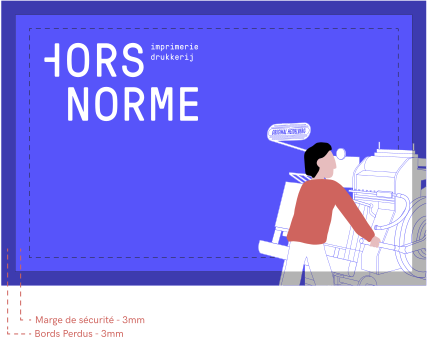
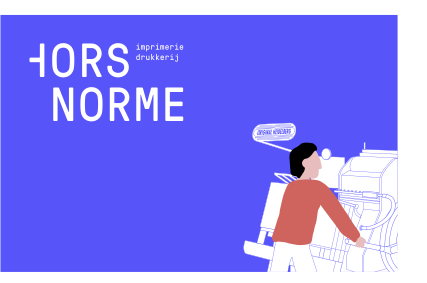
Always add 3 mm of bleed to your files, so that your image, illustration or background runs right up to the edge after cutting: the cut can move slightly.

• Add the bleed around the final size (not inside it).
• To avoid the opposite problem, don't place any important information within a 3 mm margin inside the finished size.
• Printer's marks (crop marks, bleed marks…) are not needed.

File to submit

Printed result

 Click Click Graphics - imprimerie Bruxelles Printing Brussels drukkerij Brussel
 Click Click Graphics - imprimerie Bruxelles Printing Brussels drukkerij Brussel

Die cutting

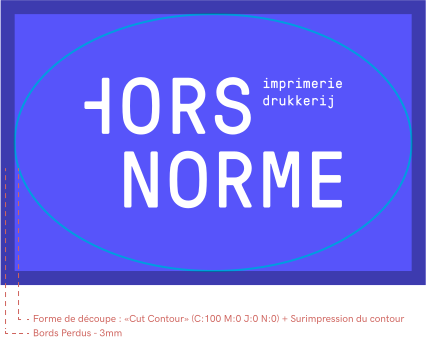
If you want a die-cut shape, place the cutting path on a layer of your PDF, as a stroke set to overprint.
This stroke must be a spot color in Cyan 100% (C:100 M:0 Y:0 K:0), named "Cutcontour".

File to submit

 Click Click Graphics - imprimerie Bruxelles Printing Brussels drukkerij Brussel
 Click Click Graphics - imprimerie Bruxelles Printing Brussels drukkerij Brussel

Printed result

 Click Click Graphics - imprimerie Bruxelles Printing Brussels drukkerij Brussel

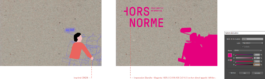
Spot varnish

If you want a spot varnish, place it on a layer of your PDF.
This varnish must be a spot color in Magenta 100% (C:0 M:100 Y:0 K:0), named "Varnish".

File to submit

 Click Click Graphics - imprimerie Bruxelles Printing Brussels drukkerij Brussel

Printed result

 Click Click Graphics - imprimerie Bruxelles Printing Brussels drukkerij Brussel

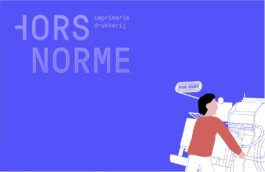
White ink

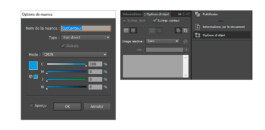
If you want a white underprint, place it on a layer of your PDF. This white must be a spot color set to overprint, in Cyan 100% (C:100 M:0 Y:0 K:0), named "White".

Le blanc peut servir de soutien sous vos couleurs, ou s'utiliser comme couleur à part entière, par exemple pour du texte ou des motifs blancs sur un support coloré, foncé ou transparent. Dans les deux cas, placez le blanc sur un calque de votre PDF. Ce blanc doit être un ton direct en surimpression, en Magenta 100 % (C:0 M:100 J:0 N:0), nommé « White ».

File to submit

 Click Click Graphics - imprimerie Bruxelles Printing Brussels drukkerij Brussel

Printed result

 Click Click Graphics - imprimerie Bruxelles Printing Brussels drukkerij Brussel

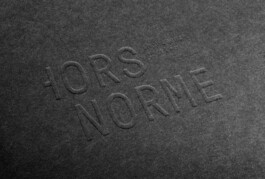
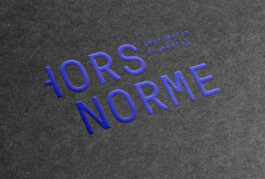
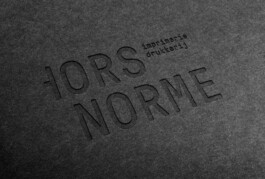
Embossing, hot foil stamping, debossing

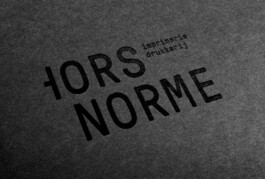
Letterpress / Blind embossing

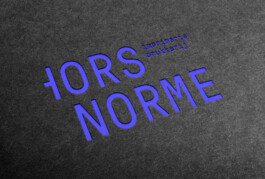
Embossing with color

 Click Click Graphics - imprimerie Bruxelles Printing Brussels drukkerij Brussel
 Click Click Graphics - imprimerie Bruxelles Printing Brussels drukkerij Brussel

Letterpress / Blind deboss

Letterpress / Color deboss (black ink)

 Click Click Graphics - imprimerie Bruxelles Printing Brussels drukkerij Brussel
 Click Click Graphics - imprimerie Bruxelles Printing Brussels drukkerij Brussel

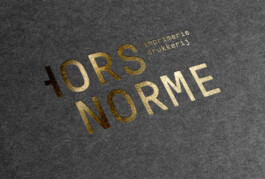
Hot foil stamping

Hot foil stamping, colored foil

 Click Click Graphics - imprimerie Bruxelles Printing Brussels drukkerij Brussel
 Click Click Graphics - imprimerie Bruxelles Printing Brussels drukkerij Brussel

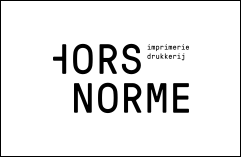
Example of a file for the die form

All of these techniques need a die to be made. We therefore ask for one PDF file per technique and/or per color, plus a control file that combines all the techniques used.
Each file for a die must be sent as a vector PDF, in 100% black (C:0 M:0 Y:0 K:100).
 Click Click Graphics - imprimerie Bruxelles Printing Brussels drukkerij Brussel

Brochures

When you make a brochure, you can include your cover in the PDF.
Remember that a brochure with the cover included must have a page count that is a multiple of 4.

Book

For a book, please send us the cover as a separate PDF: we will tell you the spine width to allow for, which depends on the weight (gsm) of your paper.
The number of pages must be a multiple of 4.
Also allow a safe margin of 4 mm and 3 mm of bleed.

PDF Bleed Die cut Varnish White ink Embossing, hot foil, debossing Brochures Books

Opening hours

Monday – Friday from 9:00 to 12:30 & 13:30 to 18:00.
Closed on Saturday and Sunday.

We work only by appointment.

Picking up your order

Shop orders can be picked up during opening hours. Just let us know when you're coming, so someone is there to hand it over. We're a small team, and we're sometimes busy at the presses or out on a job.

Let's talk first

Appointments are for projects that need advice: a book, an event, a wedding, anything complicated. Not sure what to expect? We explain how it works before we start. Tell us a little about your idea in our chat, or send us an email at info@clickclickgraphics.com, and we'll plan a time together.

We are here

Aalststraat, 7-11, Rue d'Alost
Brussel
1000 Bruxelles
Belgium

 Click Click Graphics - imprimerie Bruxelles Printing Brussels drukkerij Brussel

We are here

Aalststraat, 7-11, Rue d'Alost
Brussel
1000 Bruxelles
Belgium

 Click Click Graphics - imprimerie Bruxelles Printing Brussels drukkerij Brussel

Opening hours

Monday – Friday from 9:00 to 12:30 & 13:30 to 18:00.
Closed on Saturday and Sunday.

We work only by appointment.

Picking up your order

Shop orders can be picked up during opening hours. Just let us know when you're coming, so someone is there to hand it over. We're a small team, and we're sometimes busy at the presses or out on a job.

Let's talk first

Appointments are for projects that need advice: a book, an event, a wedding, anything complicated. Not sure what to expect? We explain how it works before we start. Tell us a little about your idea in our chat, or send us an email at info@clickclickgraphics.com, and we'll plan a time together.